
Minecraft Cape Codes: The Complete Guide to Buying, Redeeming & Using Capes in 2026
September 19, 2026
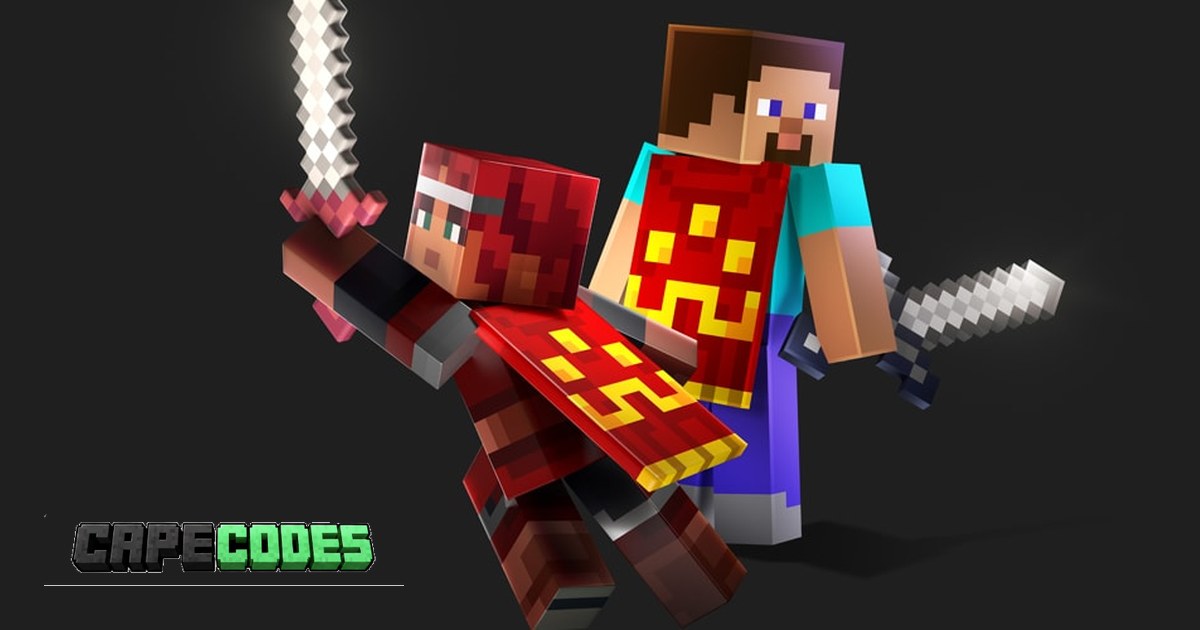
Minecraft capes are among the most recognizable cosmetic items in Minecraft. Whether they were earned through special events, promotional campaigns or exclusive activities, each cape has its own design and history.
For many players, owning a particular cape is about more than appearance. It can be a way to collect limited cosmetics, customize a character or finally obtain a reward they missed when it was originally available.
But how do Minecraft cape codes actually work? Where can you find them, how do you redeem them, and how can you make sure your new cape actually appears in-game?
In this guide, we explain everything you need to know about Minecraft cape codes in 2026, including what to check before buying, step by step redemption instructions, Java and Bedrock compatibility, troubleshooting and how to avoid scams.
Quick Summary
- What they are: single-use promotional codes that unlock an official cape on a Microsoft account.
- Where to redeem: the official page at minecraft.net/redeem, signed in with the Microsoft account that owns your Minecraft profile.
- How long it takes: redeeming takes about a minute, and the cape usually shows up in the launcher or Dressing Room right after.
- Java vs Bedrock: support depends on the individual cape, so always check the product details first.
- Safety rule: a real seller never needs your Microsoft password. You only ever receive a code.
- Check your collection: use the free CapeCodes Cape Checker to see every cape on any Minecraft account.
What Are Minecraft Cape Codes?
Minecraft cape codes are promotional redemption codes associated with specific in-game rewards.
Depending on the promotion, a code can unlock a cosmetic item on an eligible Microsoft account. The redemption requirements, supported editions and expiration dates depend on the individual promotion.
Not every Minecraft cape is obtained through a code. Some are distributed automatically, while others are earned by participating in events or completing specific activities.
For example, Minecraft's official Common Cape promotion in 2025 rewarded eligible players who signed into Minecraft Bedrock Edition with a Microsoft account. No separate redemption code or purchase was necessary.
Other capes, such as the Experience Cape, were tied to real-world events. Visitors of Minecraft Experience: Villager Rescue received a unique code after their visit, which is exactly why that cape is still sought after by collectors today.
Understanding these differences is important before purchasing any cape.
Why Are Minecraft Capes So Popular?
Minecraft capes have become highly recognizable among players for several reasons.
Unique designs
Capes add another layer of customization to a Minecraft character. Their designs can complement different skins and give players a distinctive appearance in multiplayer, on servers and in screenshots.
Special events and promotions
Many capes have been associated with limited-time events, partnerships and promotional campaigns. Once a promotion ends, the cape often becomes much harder to obtain.
Collecting and status
Some players enjoy collecting different capes, particularly those associated with older events or memorable moments in Minecraft history. A rare cape is instantly visible to everyone you play with.
Curious how your own account compares? The Cape Checker gives every account a Rarity Score and a rank, from Unranked and Cape Initiate up to Cape Hunter, Cape Elite and OG Legend.
Personal customization
A cape can make a familiar Minecraft skin feel more personal without changing the character's overall appearance.
Capes are cosmetic items and do not provide gameplay advantages.
Where Can You Buy Minecraft Cape Codes?
Players looking for specific Minecraft cape rewards may come across different types of online sellers.
Before purchasing, it is important to understand the difference between three very different products:
- An official redemption code: a single-use code you redeem on your own Microsoft account. This is what CapeCodes sells.
- An account that already owns a cape: buying or sharing accounts breaks the Minecraft terms and puts you at real risk of losing access.
- An unofficial mod cosmetic: a cape that only shows up for people running the same third-party mod, not in vanilla Minecraft.
These products are not interchangeable.
At CapeCodes, every product is an official redemption code. Codes are confirmed unredeemed before they are listed and are emailed to you automatically after checkout, so the cape ends up on your own account and stays there.
Popular Minecraft Cape Codes in 2026
Here is an overview of popular capes available at CapeCodes right now, from budget event capes to rare collector pieces.
| Cape | Tier | Good for |
|---|---|---|
| Aurora Cape | Budget event cape | A first cape or an easy upgrade |
| Copper Cape | Budget event cape | Matching survival and builder skins |
| Builder Cape | Budget event cape | Creative and build server players |
| Home Cape | Budget event cape | Clean, simple look on any skin |
| Menace Cape | Budget event cape | Darker, PvP style skins |
| Purple Heart Cape | Mid tier | Standing out without a collector price |
| Experience Cape | Collector tier | Players who want a real event exclusive |
| Moonlight Trail Cape | Collector tier | Rare, eye-catching night themed look |
Stock on budget capes moves quickly, so check the live availability on each product page.
What to Check Before Buying
Before ordering a Minecraft cape code, consider these points:
- Exact reward: confirm which cape or cosmetic the code unlocks.
- Redemption method: check which official website or platform accepts the code.
- Compatibility: verify whether the reward supports Java Edition, Bedrock Edition or both.
- Expiration: some promotional codes have specific redemption deadlines.
- Regional restrictions: certain promotions or codes may only work in eligible countries.
- Account requirements: check which Microsoft account must be used.
- Seller policy: read what happens if a code does not work. A trustworthy store replaces or refunds invalid codes.
Never share your Microsoft password with a seller to receive a redemption code.
How to Buy a Minecraft Cape Code
Once you have found the cape you want, the purchasing process is straightforward.
Step 1: Browse available capes
Visit the CapeCodes shop and explore the available products. Every product page includes a 3D preview, so you can see exactly how the cape looks before buying.
Step 2: Check the product information
Before purchasing, make sure you understand what the product includes. Check the cape name, redemption instructions and any relevant compatibility or expiration information.
Step 3: Complete your order
Click Buy Now and complete checkout. CapeCodes accepts PayPal, credit and debit cards, Apple Pay, Google Pay and a range of cryptocurrencies. Always review your order before confirming payment.
Step 4: Receive your code
Your code is shown on the success page and sent to your email right after payment. Keep it private until you have successfully redeemed it.
Step 5: Redeem your code
Use the official redemption instructions in the next section. We recommend making a short screen recording while you redeem, so you have clear proof in the rare case a code does not work.
How to Redeem a Minecraft Cape Code
Minecraft provides an official redemption website for supported codes: minecraft.net/redeem.
According to Minecraft's official instructions, supported 5x5 codes contain 25 characters and require an active Microsoft account.
- Open the official redemption website. Visit minecraft.net/redeem in your browser.
- Sign in. Use the Microsoft account associated with the Minecraft profile where you want the reward. Double-check that you are using the correct account.
- Enter your code. Type or paste the code into the field and make sure every character is correct.
- Confirm the reward. Follow the instructions on the page and confirm the content being applied to your account.
- Check your Minecraft account. Open the launcher or the Dressing Room and look for your new cape.
Important: not every promotional code uses the same redemption process. Some rewards have separate eligibility requirements, redemption locations or expiration dates. Always follow the instructions included with your product.
How to Equip a Cape in Minecraft Java Edition
After obtaining an eligible cape, you may need to select it manually. For Java Edition, you do this through the Minecraft Launcher.
- Open the Minecraft Launcher.
- Select Minecraft: Java Edition.
- Navigate to the Skins section.
- Select the skin you want to edit.
- Open the skin editing options.
- Select an available cape.
- Save your changes.
Make sure you have selected the correct cape before launching the game.
If your cape is not immediately available, check whether the reward has been activated for Java Edition and whether additional synchronization or account steps are required.
How to Equip a Cape in Minecraft Bedrock Edition
Bedrock Edition uses the Dressing Room and Character Creator system. Minecraft's official Character Creator documentation confirms that supported capes can be equipped with different character types, including custom skins and Marketplace skins.
- Launch Minecraft Bedrock Edition.
- Open the Dressing Room.
- Select the character you want to customize.
- Open the character editing options.
- Navigate to the Capes section.
- Select your available cape.
Do Minecraft Cape Codes Work on Both Java and Bedrock?
This is one of the most important things to check before purchasing.
Some promotional capes support both Java and Bedrock Edition, while others have different eligibility requirements or platform restrictions.
For example, Minecraft's 2025 Microsoft Account Sign-In Cape promotion specifically provided rewards for both editions, subject to its promotional terms. However, this should not be assumed for every cape.
Always check the specific promotion and product information before purchasing. If you are unsure about a cape, ask our support team before you order.
What to Do If Your Minecraft Cape Does Not Appear
A successfully redeemed code does not always mean the cape will immediately appear in every part of Minecraft. If your cape is missing, work through these checks.
1. Check your Microsoft account
Make sure you are using the same Microsoft account that received the reward.
2. Check if the cape is on your profile
You can instantly check whether your cape is registered on your account with our free Cape Checker. Enter your Minecraft username and you will see every cape linked to your profile, including a 3D preview.
Note that the checker can only see capes that are currently equipped or publicly visible on your profile. If you have never equipped the cape, select it once in the launcher or Dressing Room and check again after a few minutes.
3. Check the correct Minecraft edition
Some rewards have edition-specific requirements. Confirm that the promotion supports the edition you are playing.
4. Check your character settings
Open the Dressing Room in Bedrock or the Skins section in the Java Launcher. You may need to select the cape manually.
5. Restart Minecraft
Close the game and launcher completely before signing in again.
6. Check the redemption status
Make sure the code was successfully redeemed and was not already used.
If you still cannot access the reward, contact CapeCodes support for a code bought from us, or Minecraft Support for account specific issues.
Why Is My Minecraft Cape Code Not Working?
There are several possible reasons why a redemption code might fail. Minecraft's official troubleshooting documentation recommends checking the following.
Incorrect characters
Double-check the code for typing mistakes. Characters such as O and 0, or I and 1, can easily be confused. Copying and pasting the code avoids most of these errors.
Previously redeemed code
Minecraft confirms that redemption codes can only be used once.
Regional restrictions
Some gift cards and promotional codes are restricted to specific regions.
Expired promotion
Certain promotional rewards have a deadline. Check the original promotion terms to see whether the redemption period is still active.
Incorrect Microsoft account
Make sure you are signed into the correct account.
If a code you bought from CapeCodes shows an error, send us a screen recording of the redemption, or a full uncropped screenshot that shows the page address and the exact error message. Invalid or already-used codes are replaced, or refunded if no replacement is in stock. You can read the full details in our refund policy.
Are Minecraft Cape Codes Safe to Buy?
When purchasing digital Minecraft rewards, it is important to understand exactly what you are buying. A few basic precautions protect your account:
- Purchase from stores that clearly explain their products and their refund policy.
- Check the exact cape associated with the product.
- Read the redemption instructions before ordering.
- Never share your Microsoft password.
- Never share unused redemption codes publicly.
- Check the original promotion terms and expiration dates.
- Avoid deals that sound too good to be true, such as rare capes for a fraction of their usual price.
Remember that a third-party store is not automatically an official Minecraft distributor.
Why players choose CapeCodes
- Official codes only: you redeem the code on your own account. We never ask for your login.
- Instant delivery: your code appears on screen and in your inbox right after payment.
- Replacement guarantee: invalid or already-used codes are replaced or refunded.
- Secure checkout: PayPal, cards, Apple Pay, Google Pay and crypto.
- Real support: questions are answered through our contact page and live chat.
CapeCodes is an independent store and is not affiliated with, endorsed by or connected to Mojang Studios, Minecraft or Microsoft.
Frequently Asked Questions About Minecraft Cape Codes
Where can I buy Minecraft cape codes?
You can explore available products in the CapeCodes shop. Check the individual product descriptions for details about the cape and its redemption requirements.
How do I redeem a Minecraft cape code?
For supported 25-character promotional codes, visit minecraft.net/redeem, sign in with your Microsoft account and follow the instructions for the relevant reward.
How fast do I receive my cape code?
At CapeCodes, your code is delivered automatically right after payment, on the success page and by email.
Can Minecraft cape codes be redeemed more than once?
No. Minecraft's official redemption documentation states that codes can only be used once.
Do all Minecraft capes work on Java and Bedrock?
No. Compatibility depends on the individual cape and its distribution method. Always check the promotion requirements.
Can I transfer my cape to another account?
Promotional cape rewards are generally tied to the Microsoft account that claims them. The exact terms depend on the reward, but you should not expect an already redeemed cape to be transferable.
Why is my cape not showing up?
Check that you are signed into the correct Microsoft account, that the cape supports your edition and that you have selected it in the right customization menu. You can confirm it is on your profile with the Cape Checker.
How can I see which capes my account has?
Enter your username in the free Cape Checker. It shows every visible cape on the account, a 3D preview and your Rarity Score.
Do Minecraft capes give you special abilities?
No. Capes are cosmetic items and do not provide gameplay advantages.
Are all Minecraft cape codes permanent?
The availability of a promotional code and the duration of the resulting reward are two different things. Check the original promotion terms for the applicable conditions.
Start Your Minecraft Cape Collection
Whether you are looking for a particular design, collecting older promotional rewards or simply want to customize your Minecraft character, understanding how cape codes work is essential.
Always check the product information, redemption requirements and compatibility before purchasing. Once you have found the right cape, follow the official redemption instructions and equip your reward through the appropriate Minecraft customization menu.
Ready to find your next Minecraft cape? Use code CODES10 at checkout for 10% off your order.
Sources and Further Reading
The following sources were used to verify the factual information in this guide.
- Minecraft Official Redemption Page: official redemption instructions, Microsoft account requirements and code troubleshooting.
- Minecraft Help Center: information about regional restrictions, incorrect codes, redemption errors and the Bedrock Character Creator.
- Minecraft Common Cape Announcement: an example of a cape distributed through a Microsoft account promotion.
- Minecraft Microsoft Account Cape Terms: official promotion dates, eligibility and reward conditions.
- Minecraft Experience Promotion Terms: specific conditions for the Minecraft Experience cape promotion.
This article is independently written for informational purposes. CapeCodes is not affiliated with, endorsed by or connected to Mojang Studios, Minecraft or Microsoft.